


How to Make Your Graphics Sharp at Any Size
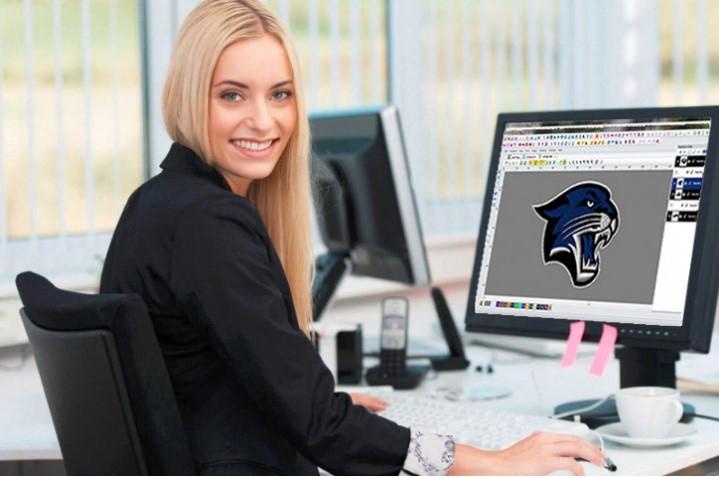
Good graphics help brands look strong and professional. They are used on websites, signs, shirts, cards, packaging, and social media. But many people face one common problem. Their design looks clear in one size, then blurry or rough in another size.
That is why Vector Artwork Conversion is so useful for businesses and creators. It helps turn normal image files into scalable artwork that stays clean, smooth, and sharp when made bigger or smaller.
Why Sharp Graphics Matter
A blurry design can hurt your image. A sharp design builds trust.
Sharp Graphics Help With:
-
Better brand look
-
Clear printing
-
Strong online images
-
Easy resizing
-
Professional marketing
Poor Graphics Cause:
-
Pixel edges
-
Fuzzy text
-
Weak print quality
-
Bad first impression
Good visuals matter everywhere.
What Happens When Graphics Lose Quality
Many image files are made with pixels. Pixels are tiny dots.
When You Resize Pixel Images:
-
Dots stretch
-
Edges break
-
Shapes blur
-
Text gets rough
This is why logos from screenshots often fail in print.
What Makes Graphics Stay Sharp
Graphics stay sharp when they use the right format and clean structure.
Strong Graphics Usually Have:
-
Smooth lines
-
Clean curves
-
Correct resolution
-
Editable layers
-
Scalable paths
These features help in all sizes.
Raster vs Vector: Know the Difference
This is the most important part of sharp graphics.
Raster Graphics
Made with pixels.
Common Types:
-
JPG
-
PNG
-
GIF
Best For:
-
Photos
-
Web images
Weak Point:
Can blur when enlarged.
Vector Graphics
Made with lines and points.
Common Types:
-
AI
-
SVG
-
EPS
-
PDF
Best For:
-
Logos
-
Icons
-
Print designs
Strong Point:
Stay sharp at any size.
Step 1: Start with the Best Source File
Always begin with the cleanest file you have.
Best Sources:
-
Original logo file
-
High-quality image
-
Clear artwork
-
Editable design file
Avoid:
-
Screenshots
-
Tiny images
-
Blurry files
Good input gives better output.
Step 2: Convert to a Scalable Format
If your logo is a JPG only, convert it into vector art.
Benefits:
-
Resize without blur
-
Easy color changes
-
Better print quality
-
Long-term use
This is one of the smartest upgrades you can make.
Step 3: Clean Edges and Shapes
Even after conversion, cleanup matters.
Improve:
-
Rough corners
-
Uneven curves
-
Broken shapes
-
Poor spacing
Small fixes create a polished look.
Step 4: Keep Text Crisp
Text often shows quality problems first.
Best Tips:
-
Use live text when possible
-
Use proper fonts
-
Convert to outlines for print copies
-
Check spacing carefully
Sharp text makes a big difference.
Step 5: Use Correct Color Mode
Color mode affects output quality too.
RGB:
Best for screens.
CMYK:
Best for print.
Using the wrong mode can make colors dull or strange.
Step 6: Save in the Right Format
Use the file type that matches the job.
For Print:
PDF, EPS, AI
For Web:
SVG, PNG
For Editing:
AI, EPS, SVG
Good format choices protect quality.
Real Experience: Why This Saves Time
Many people send low-quality logos to printers and hear the same thing: “Please send a better file.”
That delay often stops projects. Once the logo is rebuilt in clean vector format, printing becomes easier and faster.
Teams like Absolute Digitizer often help businesses upgrade old artwork so it becomes ready for signs, shirts, packaging, and digital use.
Common Problems and Fixes
Blurry Logo on Banner
Cause:
Small JPG enlarged too much.
Fix:
Use vector version.
Rough Text on Business Card
Cause:
Low-resolution file.
Fix:
Use editable text or vector text.
Jagged Edges in Print
Cause:
Poor image quality.
Fix:
Redraw clean paths.
Wrong Colors After Print
Cause:
RGB used for print.
Fix:
Switch to CMYK.
Why Businesses Need Sharp Graphics
Your design speaks before you do.
Sharp Graphics Help:
-
Build trust
-
Look premium
-
Improve ads
-
Increase sales appeal
-
Keep branding consistent
Poor visuals can reduce confidence fast.
How Sharp Files Help Embroidery Too
Embroidery needs clean artwork.
Better Art Means:
-
Easier digitizing
-
Clear outlines
-
Better stitch paths
-
Faster production setup
That is why many embroidery projects start with vector files.
Experts like Absolute Digitizer understand how strong artwork improves production results in both print and stitching.
Best Practices for Daily Use
Keep a Master File
Save one clean editable version.
Store Multiple Exports
Keep print, web, and transparent versions.
Name Files Clearly
Use names like logo-print or logo-web.
Back Up Everything
Use cloud and local storage.
Mistakes Beginners Make
Avoid these common issues.
Using Social Media Downloads
These files are often compressed.
Stretching Logos
This can distort shapes.
Saving Only JPG Files
You need better working formats too.
Ignoring Proof Checks
Always zoom in and inspect.
Tips from Real Design Work
Use Vector for Logos
Always best for branding.
Keep Shapes Simple
Simple art scales well.
Check at Large and Small Sizes
View both before final use.
Use Trusted Help When Needed
Some files need expert repair.
Why Professional Help Can Be Smart
Some artwork is too damaged or outdated.
Professionals Can:
-
Rebuild logos
-
Clean rough files
-
Match brand colors
-
Export useful formats
-
Prepare print-ready files
A trusted team like Absolute Digitizer can save time and improve final quality.
EEAT in Graphic File Work
Great design support follows strong values.
Experience
Knowing common file issues.
Expertise
Understanding formats, color, and scaling.
Authority
Consistent clean results.
Trustworthiness
Reliable files ready for use.
These standards matter for every business asset.
Final Thoughts
Making your graphics sharp at any size is not hard when you use the right steps. Start with the best source file. Convert pixel art into scalable formats when needed. Clean shapes, fix text, and save proper file types.
Sharp graphics help your brand look better in print, online, and on products. They save time, prevent delays, and create a stronger first impression.
When quality matters, clean scalable artwork is always worth it.
 Dutch
Dutch
 English
 Arabic
 French
 Spanish
 Portuguese
 Deutsch
 Turkish
 Italiano
 Russian
 Romaian
 Portuguese (Brazil)
 Greek
Greek
